Sign-in codes by text
Last updated 5 October 2026
ServiceRove is software for independent mobile mechanics, operated by Senco Computer Systems, Inc. The people who work at a shop that uses it sign in to see the day’s jobs. They can sign in by email, or by a code ServiceRove texts to a mobile number they have added to their own account.
What you see when you add your mobile
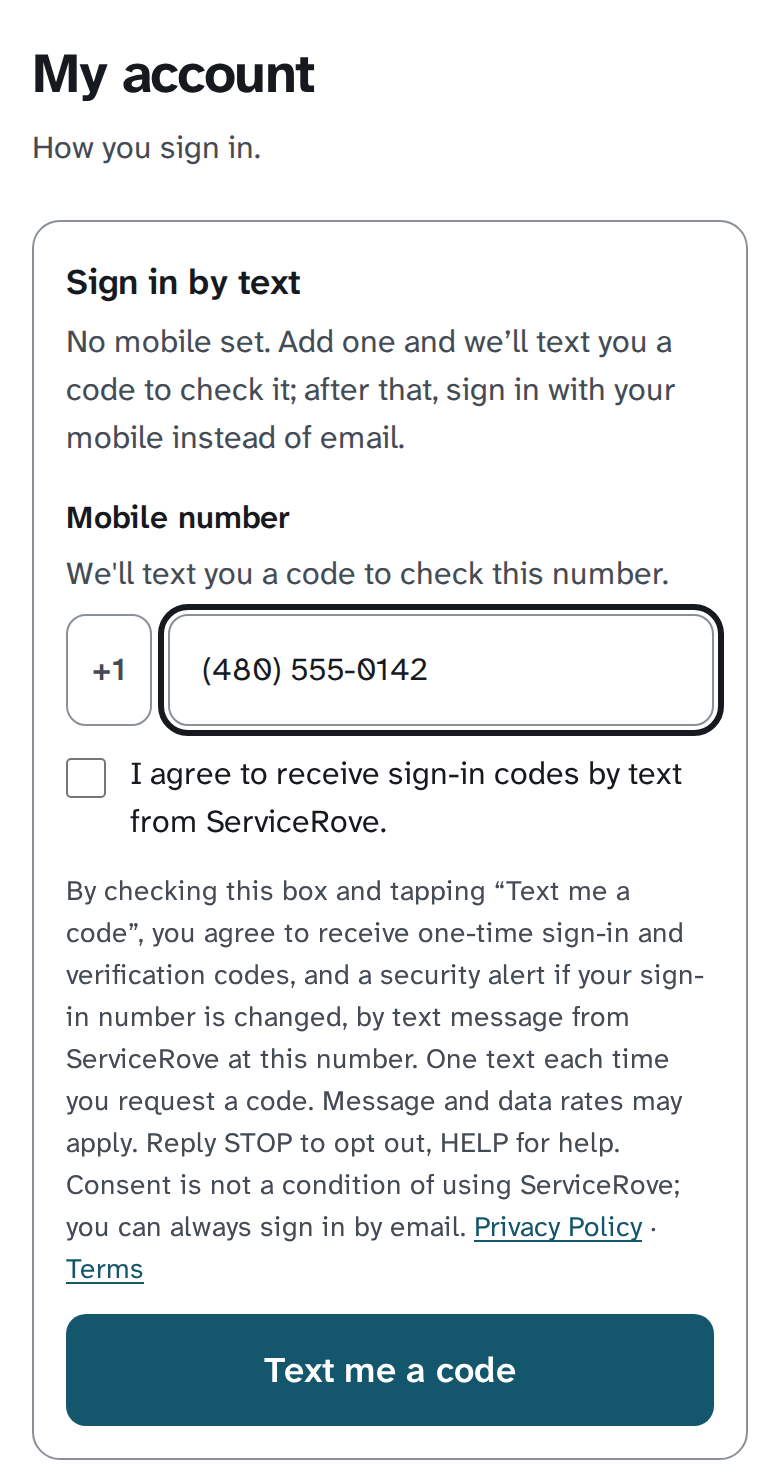
Under My account → Sign in by text, the form a signed-in staff member fills in. The box starts unticked, and “Text me a code” sends nothing until it is ticked:
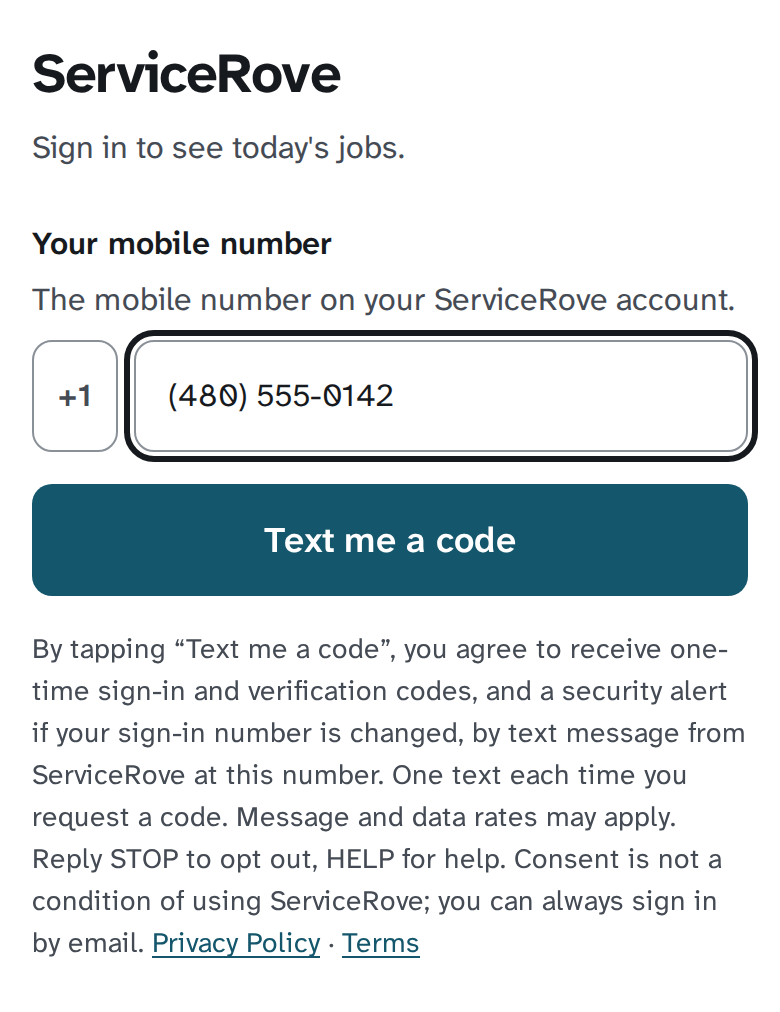
On the sign-in page, the same words sit under the button:
The consent, as the My account form states it:
I agree to receive sign-in codes by text from ServiceRove.
How a mobile number is added
- A staff member, signed in, opens My account → Sign in by text and enters their mobile number.
- They tick the box agreeing to sign-in codes by text, and tap “Text me a code”. ServiceRove texts a six-digit code to that number. The number is added only when they type the code back — that proves they hold the phone.
- A shop’s operator may also enter a staff member’s mobile when creating their account. That number is pending. This number gets no text until it is typed into the sign-in page or My account. The staff member’s first successful sign-in confirms it.
What we send, and when
Each text is from ServiceRove, operated by Senco Computer Systems, Inc. This number sends exactly four kinds of text, and nothing else:
- a sign-in code, when the staff member asks for one on the sign-in page;
- a code to confirm a mobile, when they add or change their mobile under My account;
- a notice to the previous mobile when the mobile on an account is changed or removed, saying when it happened and how to sign in by email if it wasn’t them;
- the reply to HELP.
Each code is six digits, single-use, and expires in ten minutes. Every text ends “Reply STOP to opt out.” No marketing, no customer messages, nothing written by a shop.
Stopping
Reply STOP to the number the code came from and no more sign-in codes go to that mobile until you reply START. You can always sign in by email instead, and remove the mobile under My account. Reply HELP for help. Message and data rates may apply.
Privacy
The mobile number is used for sign-in codes and nothing else, and is not shared with third parties or affiliates for marketing. Our privacy policy is at servicerove.com/privacy and our terms at servicerove.com/terms.